The Tech Addas

The Tech Addas
Subscribe For Free Updates!

We'll not spam mate! We promise.

Showing posts with label Android Hacks. Show all posts

Monday, 21 January 2013

Easy Way to Update Stock ROMv4 for Micromax A52


Hello Fellas, So are searching stock ROM v4 for Micromax A52 ? you have landed at the right place.

Today we would be providing you Untouched(All the apps are intact) with no ROOT Access and TESTED ! ! ! For all those who want to over v3 or Custom ROM.

Our Friend Andro-Park did this Job little earlier with inclusion of ROOT ACCESS. So we decided to get over it. It was not possible without help of abhijit guha . thanks to him for his updater script.

So Lets begin ! ! !

Before Proceeding you would be requiring the following stuff:

CWM v6 by sahil deep: Download
Stock ROM v4 zip: Download

If  you don' t have CWMv6 installed do refer our previous guide Easy Way to Root Micromax A52 [ Root + Custom ROM] (Follow upto STEP 4 for flashing CWMv6) for installing it and then proceed further.


Step #1: Put the Stock ROM v4 zip into the root of sdcard.


Step #2: Switch off the phone., Press Vol Up + Power button CWM v6 would open up .


Step #3: Using CWM 6 clear the data and cache otherwise it may conflict the working of phone  further.


Step #4: Then Select  " Install ZIP from sdcard " >> "choose zip sdcard">>Stock ROM v4.zip.


Step #5: Installing would start after completion just restart your phone and voila !!! you would have Stock ROM v4. 

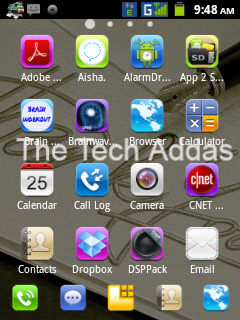
Some ScreenShots of V4:


Disclaimer: The Tech Addas or the author would not be held responsible for any damage caused to your device.


Hope you enjoyed the post. For any queries do post your post bellow. 

Stay Tuned to The Tech Addas for more tech stuffs.


Saturday, 28 July 2012

Jelly Bean :The New Member Of Android Family

Android Jelly Bean

First of all, sorry late posting , was bit busy adjusting my schedule .
So today we'll be seeing about  new version of android that is Jelly Bean , its 4.1 version actually, there were rumors that it would be the 5th version. This version was launched on 27th of  June , 2012, at the Google I/O conference.

Well most of us are familiar with the previous version  , Android 4.0 Ice Cream Sandwich, covering most of  the glitches noticed in ICS.

So following are the main pros at glance:
  • Silky Smooth Graphics
  • Smarter Keyboard
  • Improved Accessibility
  • Loaded with Android Beam
  • Spiced up with Google Now
  • New Voice Search
  • Improved Cam
  Silky Smooth Graphics:
Project Butter
  • Well this time google has put on max effort on it, as discussed in the  Project Butter for making the graphics absolutely smooth while moving onto the home screen , switching on to the apps. All this was possible due to Vsync and Tripple Buffering which offered an awesome framerate of 120FPS. also making max utilization of the CPU on the moment you touch the screen. and making it min. when idle to increase battery efficiency.
  Smarter Keyboard: 

Jelly Beam Keyboard
  • Swiftkey3, the well known keyboard app on the android which provides an better alternative to stock one.
  • Jellybean has swiftkey3 like keyboard with feature for guessing the upcoming word. so that user can type at much greater speed than before.
          
   Improved  Accessibility: 
  • Jellybean has new improved accessibility, which ensures blind users to conveniently navigate through the UI interface along the speech output.
          
   Loaded Android Beam: 
Working of Android Beam
talkandroid.com

  • Those having the NFC enabled devices could now share photos, videos and webpages instantly , without hassles of searching and pairing.
  • With android beam now the only thing they have to do is tap simply tap their devices back to back, and voila !!! your pic/video/webpage is shared.


Google Now
telegraph.co.uk
                                         Spiced up with Google Now:
  • Now making use of your search history, calenders, and many like that stuff. a new service called google now will let you know the things of your concern.
  • Like are you standing on a platform moving on your office?? then it tell you the next train for it. Do you want to know the recent Score of you favorite cricket team?? then google now will   inform you that.


     New Voice Search:
  • SIRI, most of us would knowing it. the voice assistant developed by apple.
  • So to beat it up, google came up with new SIRI like Voice Assistant, which works for you even with Zero- Internet Connectivity !!!! yes you read it correct, it works offline too.
              
Camera Jelly Bean   Improved Camera
  • With new Jellybean now you could simply snap pics at much faster rate than before.
  • Just Snap it !! and at the next moment get ready for the new shot. along with cool filmstrip like interface to view your previous shots. 
Finally the devices that would be officially getting android jellybean, are as follows  
  • Samsung Galaxy Nexus
  • Samsung Nexus S
  • Google Nexus 7 Tablet
  • Asus Eee Pad Transformer Prime
  • Asus Transformer Pad 300
  • Asus Transformer Pad Infinity
  • Motorola Xoom
  • HTC One X
  • HTC One S


Hope you Liked the post , If you have any suggestions/queries regarding the post feel free
to comment. Please do share with your friends too. Stay Tuned To The Tech Addas for more
Tech Updates.

Thursday, 28 June 2012

[GUIDE]Top 4 Points For Android Device Buyer

Most of the people around the globe, are now moving onto most sophisticated , powerful  and user friendly phones. or simply can say the "ANDROID PHONES". but most of them while buying such phones, randomly choose one on the basis of Brand or looks or suggested by some of their colleagues, unfortunately i would say its not correct way. just going onto brand name or just to opt an phone coz of its looks or going with the colleagues choice. C'mon you are spending hundreds of bucks buying it.

So to make it simple silly, i have framed an this post. without wasting more time lets get onto the point.

Basically, there are 4 MOST IMPORTANT points. that should be took into consideration while opting an Android Phone. if you follows these points i ' m darn sure you would getting the best phone in price budget.

Following Are the points:
         
            1) Android OS Version
            2) Basic Technical Specs
            3) Build Quality
            4) Some Advanced Specs

1) Android OS Version:
Different Android OS Versions
Image Courtesy: knowahead.in
  • It is one most important key point which an andro-phone buyer should be concerned about. 
  • As most us know android OS are getting frequently updated starting from android v1.0  to android v4.0(also known as Icecream sandwich).
  • So while buying an andro-phone, you should see if either it 's having latest OS version. latest till these date is the android OS v4.0.
  • But as OS version increases the more you have to pay for it.As different version have quite different features packed with them. 
  • You better refer this detail guide on android OS with the associated  features "Different android OS's and there features".
  • Lastly would like say Most recent the OS version ,better the features it offers you 

2) Basic Technical Specs:
Image Courtesy: nowasys.com


  • After choosing desired droid-OS.next comes the basic technical specs you should look onto.
  Processor ,RAM and GPU: 
                                                                
 Mostly of the first time buyer , avoid these factors  but they are of the top priority. bcoz you loosing you precious money for it, so while buying an ideal droid phone . it should be having atleast 600Mhz of procesor alongwith 256mb RAM.so that it would be running with zero noticeable lag. GPU is optional becoz higher the GPU greater the price of the phone.

         Screen Size and Type: 
                                                     An another important factor, Screen Size and type. It would be afffecting your whole experience of feeling your droid phone. So be concerned atleast it should be 3.1 inchs to give you awsum feel. At last but not the least the screen type, most popular out of them are Resistive and Capacitive but i would be recommend you to opt for capacitive. its super smooth as compared to resistive.

         Camera:
                                                    Coming onto next factor, is camera . its more important thing for those who expect their droid phones to capture some special moments in their life. so it be in your mind while buying droid phone.

        Wifi, GPS, Bluetooth:
                                                    Hmmm, till yet we saw several top priority factors. now comes turn of communication stuff , without which the use of smartphone nothing. coming to the point. you should be take into consideration that you should get that device having Wifi + A-GPS + Bluetooth 3.0(much faster transfer rate than bluetooth 2.0).

3) Build Quality: 
Build Quality of Android Device
Image Courtesy: gizmodo.fr

                                           
Enough talk about the technical specs, now comes to build quality. while inspecting build quality you should keep this in mind . placing of buttons on the phone like volume rockers, home, search, back etc. audio jack and color, for which i would not be telling you bcoz it varies from person to person.


4) Advanced Specs :
           Ok, we covered almost all things . now the last thing is advanced specs for some extraordinary tech savvies. following are advanced specs you should look around
  •    Could the phone be rooted (CAUTION: rooting void the warrenty and may brick your phone if not done  properly).
  •    Does the phone have Custom ROMs and Recoveries .
 . 


Hope you Liked the post , If you have any suggestions/queries regarding the post feel free to comment. Please do share with your friends too. Stay Tuned To The Tech Addas for more Tech Updates.


Saturday, 23 June 2012

[GUIDE] All You Need to Know about Custom ROM for Android Devices

Famous Custom ROM's for Android Device

In my previous posts, I had used this term viz "Custom ROMs", Umm so  what are these Custom  ROMs???,Why should we flash Custom ROMs, From where and how to flash them??, you will get an appropriate answer for all such queries throughout this post.

Ready!!!! ,  OK then lets start,

"ROM", you may had heard this word, technically its full form is  Read Only Memory. so whats the relations between Custom ROM  and read only memory? , off course there is. In the modding community ROM is  redefined as a custom OS which are flash/install into the read only memory of the phone. hence called as CUSTOM ROMs.  got it !!!.

So this was intro of Custom ROM, now I'll tell you amazing things about  it
  • Custom ROMs are completely independent OS along with there modded kernel, apps  services  and many more  interesting tech stuffs.
  • We can say them as more advanced Stock ROMs with added features and increased performance.  
  • So how do they modify these Stock ROMs, is not unjust,  noways because  it comes under the bold tag line of "OPEN SOURCE".
  • Anybody with sufficient knowledge and imagination could customized as they like.
Reasons for opting  Custom ROMs:
  • Most of times Custom ROMs comes with increased efficiency and  performance, than the earlier  installed stock ROMs.
  • All the unwanted garbage,  like idiotic apps adhered  to stock ROM  by the manufacturer, are  ripped off.
  • Optimized Kernel.
  • Upgrading to some newer version of android, which was otherwise not provided by  your phone manufacturer.
  • Ability to install App to SD card directly, hence saving the precious internal memory. 
Till yet you saw positive impact of Custom ROMs,  but still it has  some negative ones too.
Risk Factors :
  • During flashing of Custom ROMs, if something goes unexpected it may brick your phone. making it mere piece of metal, plastic and glass.
  • Loss of data, so taking a backup prior to flashing would good for you.
  • Though these Custom ROMs  are developed by some experts, but still they are humans there could be some potential problem too. for example problems like draining of battery at much faster rate or malfunctioning of Bluetooth or like wise.
  • Last but  not the least, like rooting , flashing Custom ROMs "voids the warranty".    
Some Popular ROMs:
  •  CyanogenMod
  •  Lewa
  •  MIUI
  •  AOSP
At last, i would be advising you  after taking all things in mind, decide for flashing Custom ROMs.
if liked my post do share it with your friends on facebook, and comment if you have any doubts. i would  try my level best to clear them 
     

Sunday, 17 June 2012

Overclocking / Underclocking EXPLAINED


    Android Device Overclocking/Underclocking
  • Overclocking  basically means, operating the processor of the device at much faster clock frequency than it is meant for.but at the same time the power consumption increases too. 
  • Which concludes that our android phone is going to drain battery at much faster rate than before overclocking it.
  • To successfully overclock your andro-device, first need to have root access over the system. and then using some popular apps like SetCPU, we overclock it.
  • Exactly opposite is underclocking the device, in this we are operating it at much lesser rate than intended to.sometimes manufacturer underclock device so that more power battery backup could be given to the device 
        " Risks involved in overclocking /under-clocking: "
  • As i said before overclocking drain the battery at much faster rate, that means you should willing to have a good performance batteries or atleast spare batteries with you.
  • Battery isn't the only issue, along with the battery processor of the phone heats up too, like our PC's we cant put-up better cooling system to compensate the excess heat produced. so to which extent the device should be overclocked is to be decided first.   
  • also underclocking a device below certain extent could make it useless too.
        "Why to overclock/ underclock device then":
  • Though after reading risks involved, you would thinking then "why the heck should i overclock/underclock my beloved andro". for that my answer would be you should overclock your device within limit (till it remains stable and doesnot affects the battery ). so that you could get a bit more of you device.
  • And about underclocking i would be saying that you should do it when you prefer more battery performance rather than the speed performance or can say you dont need much clock freq. given by manufacturer.
Overclocking Step by step using some popular apps would be explained in my next post , so stay tuned !!!!
and please do comment if you have any doubt i would try my level best to clear them.