The Tech Addas

The Tech Addas
Subscribe For Free Updates!

We'll not spam mate! We promise.

Showing posts with label AndroidS. Show all posts

Friday, 28 December 2012

Top 5 VoIP Apps for Android


Android phones are arguably one of the most popular platforms in the world, with millions of users across the globe using these devices. Performing an assortment of productivity tasks with ease, Androids are also great for enjoying entertainment content and playing games. Of course, these phones are designed for connecting with others easily and intuitively. VoIP apps allows users to easily do so without shelling out extra cash for more cell phone minutes.


The following 5 apps are among the very best available for the Android operating system. 

Google Voice:
 

Google Voice is a fully-functional VoIP service that is particularly useful to those with international calling needs. Placing calls is easy and inexpensive, while voicemail and SMS services help bolster the product's value. The app also works intuitively on several different Android phones, making it a great product to consider.

Skype:


Skype is arguably the leader in VoIP calls, with millions of desktop users already using the product to connect with family and friends. Users can easily place video phone calls to friends and family for free, in addition to making phone calls to landlines and cell phones for a small fee. It is even possible to exchange text messages through the app, making it one of the most powerful VoIP apps available. 


Viber:
 
Viber is notable for providing one of the best sound experiences when placing phone calls. This is vitally important when connecting with friends and family, as it means not a single second of the conversation will be lost. The app easily runs in the background, meaning users will have no difficulty receiving and placing phone calls whenever an Internet connection is available.


Linphone:


Unlike most other VoIP apps, which have all been developed by various companies, Linpohone is an open-source product. It also uses minimal data when placing and receiving phone calls. These characteristics make it one of the most unique products on the market, and well-situated for users without much data service. 


Line2 :

Line2 is a powerful solution for business users who need an additional phone line. Rather than giving the same number to both friends and business contacts, Line2 makes it easy to communicate with others on a dedicated number. Users can place phone calls over a variety of different connections, calling those in the United States and Canada without paying a fee. Features such as voicemail and conference calling can be obtained for an additional cost.

Tuesday, 18 December 2012

Top 4 Ways To Speed Up Android


-Google’s Android has overtaken Apple’s IOS in terms of users. But its growing popularity has failed to overshadow complaints that some Android based devices pale in comparison to its Apple counterparts. But most of these problems could be attributed to lesser equipped mobile devices that don’t sport the same technical specifications seen in high-priced gadgets.

-The problem with some Android devices is that a drop in performance could be seen when more apps are loaded. Less system memory is available hence, slowing down your mobile device accordingly. More running apps do not only slow your Android device but could also pose a serious drain to your battery life.


-Making your Android device run faster may require rooting the device. However, this may void your warranty and unless done by a professional, it could damage your gadget permanently. Rooting makes it possible to tweak or override internal systems. However, these should only be done once every possible resource is exhausted
.
    •    Auto Killer/ Auto Memory Manage
    Advance Task Killer


    These are used to tweak internal settings. It overrides built-in memory instructions and tries to increase the amount of available memory when running applications. Memory default settings are based on conservative estimates. This means that even if memory is still available for running additional applications, the device limits this according to pre-programmed settings. You could now run more apps simultaneously and even set your task killer to a milder setting. like Advance Task killer


    •   Overclocking Kernel:


    Older Android devices may not have the same processors seen in their latest counterparts. Overclocking Kernel is an app designed to overclock the CPU. This is similar to overclock settings seen in desktop computers. For example, a smart phones CPU may be clocked at 600 MHz but actually designed to run at 700 MHz. With a little tweak, this could be overclocked at 800 MHz without danger of damaging the processor.

    This is quite complicated and should only be done when proper information is provided. Getting the recommended kernel for the right device model is essential for safely overclocking the device. In any instance that your smart phone freezes after doing this, restore it to its original setting or overclock the processor more conservatively. more 


    • Custom ROM:


    Custom ROM are stripped version of the stock ROM that speeds up your device by removing unnecessary apps. But be careful or you might end up erasing all the apps on your phone. The device speeds up simply because more memory is available and the processor is freed from running multiple apps.best example for this is  Cyanogen Mod, it  is among topmost Custom ROM for android.


    • Autorun Manager/ Auto Start:


      One simple way of speeding up your Android device is to disable automatic app startups. There are two applications that help you manage this. Auto Start and Autorun Manager are applications that display these apps and allow users to disable them easily. Again, both apps require rooting so be sure you know what you are doing. There are other apps who claim to provide the same capabilities without the need to root the device but these have proven to be ineffective.

      Slower speeds are mainly caused by an aging device running a modern application. These applications may provide a simple way of speeding up your device but also has its own limitations. You could only tweak your device to a certain point. Even hardware or memory has its limitation and the only way you could keep up with newer apps is to buy a more robust device that is equipped to handle these applications.

      Thursday, 28 June 2012

      [GUIDE]Top 4 Points For Android Device Buyer

      Most of the people around the globe, are now moving onto most sophisticated , powerful  and user friendly phones. or simply can say the "ANDROID PHONES". but most of them while buying such phones, randomly choose one on the basis of Brand or looks or suggested by some of their colleagues, unfortunately i would say its not correct way. just going onto brand name or just to opt an phone coz of its looks or going with the colleagues choice. C'mon you are spending hundreds of bucks buying it.

      So to make it simple silly, i have framed an this post. without wasting more time lets get onto the point.

      Basically, there are 4 MOST IMPORTANT points. that should be took into consideration while opting an Android Phone. if you follows these points i ' m darn sure you would getting the best phone in price budget.

      Following Are the points:
               
                  1) Android OS Version
                  2) Basic Technical Specs
                  3) Build Quality
                  4) Some Advanced Specs

      1) Android OS Version:
      Different Android OS Versions
      Image Courtesy: knowahead.in
      • It is one most important key point which an andro-phone buyer should be concerned about. 
      • As most us know android OS are getting frequently updated starting from android v1.0  to android v4.0(also known as Icecream sandwich).
      • So while buying an andro-phone, you should see if either it 's having latest OS version. latest till these date is the android OS v4.0.
      • But as OS version increases the more you have to pay for it.As different version have quite different features packed with them. 
      • You better refer this detail guide on android OS with the associated  features "Different android OS's and there features".
      • Lastly would like say Most recent the OS version ,better the features it offers you 

      2) Basic Technical Specs:
      Image Courtesy: nowasys.com


      • After choosing desired droid-OS.next comes the basic technical specs you should look onto.
        Processor ,RAM and GPU: 
                                                                      
       Mostly of the first time buyer , avoid these factors  but they are of the top priority. bcoz you loosing you precious money for it, so while buying an ideal droid phone . it should be having atleast 600Mhz of procesor alongwith 256mb RAM.so that it would be running with zero noticeable lag. GPU is optional becoz higher the GPU greater the price of the phone.

               Screen Size and Type: 
                                                           An another important factor, Screen Size and type. It would be afffecting your whole experience of feeling your droid phone. So be concerned atleast it should be 3.1 inchs to give you awsum feel. At last but not the least the screen type, most popular out of them are Resistive and Capacitive but i would be recommend you to opt for capacitive. its super smooth as compared to resistive.

               Camera:
                                                          Coming onto next factor, is camera . its more important thing for those who expect their droid phones to capture some special moments in their life. so it be in your mind while buying droid phone.

              Wifi, GPS, Bluetooth:
                                                          Hmmm, till yet we saw several top priority factors. now comes turn of communication stuff , without which the use of smartphone nothing. coming to the point. you should be take into consideration that you should get that device having Wifi + A-GPS + Bluetooth 3.0(much faster transfer rate than bluetooth 2.0).

      3) Build Quality: 
      Build Quality of Android Device
      Image Courtesy: gizmodo.fr

                                                 
      Enough talk about the technical specs, now comes to build quality. while inspecting build quality you should keep this in mind . placing of buttons on the phone like volume rockers, home, search, back etc. audio jack and color, for which i would not be telling you bcoz it varies from person to person.


      4) Advanced Specs :
                 Ok, we covered almost all things . now the last thing is advanced specs for some extraordinary tech savvies. following are advanced specs you should look around
      •    Could the phone be rooted (CAUTION: rooting void the warrenty and may brick your phone if not done  properly).
      •    Does the phone have Custom ROMs and Recoveries .
       . 


      Hope you Liked the post , If you have any suggestions/queries regarding the post feel free to comment. Please do share with your friends too. Stay Tuned To The Tech Addas for more Tech Updates.


      Saturday, 23 June 2012

      [GUIDE] All You Need to Know about Custom ROM for Android Devices

      Famous Custom ROM's for Android Device

      In my previous posts, I had used this term viz "Custom ROMs", Umm so  what are these Custom  ROMs???,Why should we flash Custom ROMs, From where and how to flash them??, you will get an appropriate answer for all such queries throughout this post.

      Ready!!!! ,  OK then lets start,

      "ROM", you may had heard this word, technically its full form is  Read Only Memory. so whats the relations between Custom ROM  and read only memory? , off course there is. In the modding community ROM is  redefined as a custom OS which are flash/install into the read only memory of the phone. hence called as CUSTOM ROMs.  got it !!!.

      So this was intro of Custom ROM, now I'll tell you amazing things about  it
      • Custom ROMs are completely independent OS along with there modded kernel, apps  services  and many more  interesting tech stuffs.
      • We can say them as more advanced Stock ROMs with added features and increased performance.  
      • So how do they modify these Stock ROMs, is not unjust,  noways because  it comes under the bold tag line of "OPEN SOURCE".
      • Anybody with sufficient knowledge and imagination could customized as they like.
      Reasons for opting  Custom ROMs:
      • Most of times Custom ROMs comes with increased efficiency and  performance, than the earlier  installed stock ROMs.
      • All the unwanted garbage,  like idiotic apps adhered  to stock ROM  by the manufacturer, are  ripped off.
      • Optimized Kernel.
      • Upgrading to some newer version of android, which was otherwise not provided by  your phone manufacturer.
      • Ability to install App to SD card directly, hence saving the precious internal memory. 
      Till yet you saw positive impact of Custom ROMs,  but still it has  some negative ones too.
      Risk Factors :
      • During flashing of Custom ROMs, if something goes unexpected it may brick your phone. making it mere piece of metal, plastic and glass.
      • Loss of data, so taking a backup prior to flashing would good for you.
      • Though these Custom ROMs  are developed by some experts, but still they are humans there could be some potential problem too. for example problems like draining of battery at much faster rate or malfunctioning of Bluetooth or like wise.
      • Last but  not the least, like rooting , flashing Custom ROMs "voids the warranty".    
      Some Popular ROMs:
      •  CyanogenMod
      •  Lewa
      •  MIUI
      •  AOSP
      At last, i would be advising you  after taking all things in mind, decide for flashing Custom ROMs.
      if liked my post do share it with your friends on facebook, and comment if you have any doubts. i would  try my level best to clear them 
           

      Thursday, 14 June 2012

      [GUIDE] 7 Most Important Points You Should Know Before Rooting Your Android Device

      Android Rooting
      Image Courtesy: tech2.in.com

      Root:

      • Root or precisely called as rooting, is referred to gaining administrator level(for windows users) or superuser level(for Linux n Unix users) access over the device.        
      • Those using Linux would be knowing sudo command, which means you permitted to run apps which needs superuser access, like apps used for overclocking, wireless tethering, backup and many more.

      Rom:

      • ROM is nothing but modded version of an existing android, as like we have variants of Linux.
      • As it is modified version, it contains certain improvement,addition of new features.but make note that installing Modded ROM needs rooting first.
      • if we take an example of samsung galaxy y, which is having stock android 2.3 gingerbread could be replaced by cyanogenmod 9. which bundled with some sizzling features which were missing in the stock ROM.

      Flashing:

      • Flashing , is term referred to installing something to your device, which may include Modded ROM or kernel. 
        

      Boot loaders:

      • So in technical language, boot loader is piece of instructions which are run, before the running actual operating systems .
      • main purpose of boot loader, is to instruct the device where and how to find and run the kernel(is like a bridge between the application and the data processing on H/W level) of device.
      •  By default in android devices boot loaders are locked.

      ADB:

      • ADB also known as Android Debug Bridge, is sort of a command line tool much like command prompt in Windows OS.
      • It allows the computer to communicate with your connected android device.
      •  Most of rooting tools uses ADB , which is part of Android SDK(Software Development Kit).

      Recovery:

      • Recovery is a kind of software bundled with the phone, which makes backups , flashing ROMs and many more OS level tasks possible.
      • Stock Recovery doesn't performs many of tasks stated above, instead you need to install an Custom Recovery like  "Custom Thunderg  Recovery by Drellisdee" .

      Signature Verification:

      • Android devices especially of HTC made, contains this feature which embraces the HBOOT and bootladers
      •  Hboot is analogous to the BIOS in our computers, all the hardware checking and initializing tasks in phone are done by HBOOT.
      • By default Signature Verification is ON, which disallows us from flashing radio images(code which deals with Wifi and GPS of the phone).This Feature is included in most of the rooting tools like Z4root. 

      Saturday, 2 June 2012

      Going Through The History Of Android Version

      Version 1.0 : The Base Android

      • Communication
        Android v1.0
        Image Courtesy: gizbot.com
        -Basic email support was introduced.
        -It could sync with the gmail contacts.
        -Google Talk, Text and MMS was introduced -Along with phone dailer app.
      • Camera and Video:- 
        - It was having  basic camera support along with picture gallery app.
      • Entertainment: 
        - Media player and Youtube player.
      • Web Browsing:
        - Zoom/Pan full html and Xhtml web pages.
      • Connectivity:
        - Wifi and Bluetooth support.   
         

      Version 1.5: Cupcake
      android v1.5 (cupcake)
      Image Courtesy:gizbot.com

      • Communication:  -
        - Show user picture in contacts
        - Date/time stamp added to call log.
      • Camera and Video:
        - Now it was having video recording as  well as playback feature 
        - Videos could be now uploaded to youtube & picasa 
      • Entertainment: 
        - Except some minor updates else was same as like previous one.
      • Web Browsing:
        - New feature was added in which copy & paste could be done while browsing.
      • Connectivity:                     - Bluetooth stereo was added to it.


        Version 1.6 :Donut
      android v1.6 donut
      Image Courtesy:devlup.com

      • Communication:  -
        - Quick search box was added
        - Text to speech feature.
      • Camera and Video:- 
        - After addition of video recording and playback in previous version now it possible to toggle between the video/camera.   
        - Also the gallery view and camera experience were improved. 
      • Entertainment: 
        - Except some minor updates else was same as like previous one.
      • Web Browsing:
        - No updates
      • Connectivity:                     - Minor updates


      Version 2.0 :Eclair

       
      Android 2.0 :Eclair
      Image Courtesy: canofcode.co.uk

      • Communication:  -

        - After feature to support Google Account in previous versions, now new feature was introduced in each user was now able to link up multiple email inbox's.
        - Also now it was supporting the Microsoft Exchange email environments along with improved virtual; keywords.
      • Camera and Video:- 
        -  In this version of android, features for pro users(i.e snapsters ) were add which were as follows 
          • Built in camera flash support 
          • Digital zoom 
          • Scene mode
          • White balance customization 
          • Color effects
          • Macro focus option
      • Entertainment: 
        - In this version the users were now able to play HTML 5 videos.
      • Web Browsing:
        - Browsing experience was now improved.
      • Connectivity:                     - Bluetooth 2.1 support


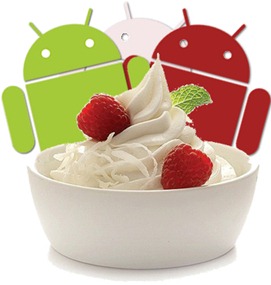
      Version 2.2 :Froyo

      Android 2.2 :Froyo
      Image Courtesy: redmondpie.com
      • Communication:  -
        - With new improved keyboard support.
      • .Camera and Video:- 
        - Customize the snaps with ease.
        - Camcoder mode now supports LED flash.
      • Entertainment: 
        - Adobe flash now supported.
      • Web Browsing:
        - Improved browser performance.
      • Connectivity:                     - New bluetooth features and ability to act as portable hotspot.

      Version 2.3 :Ginger Bread

       Android 2.3 :Ginger Bread
      Image Courtesy: www.gizmodo.com.au


      • Communication:  
        - Supports VOIP & NFC
      • .Camera and Video:- 
                                    - Allows apps to use multiple apps
      • Entertainment: 
        - no updates in this version.
      • Web Browsing:
        - No updates in this version
      • Connectivity: 
      - Bluetooth stereo was added to it.


      Version 4.0 :Ice Screen Sandwich

      Adnroid 4.0 :Ice Screen Sandwich
      Image Courtesy: technorati.com


      • Communication:
      • - Speech to text typing 
        - Improved Spell checking
        - Improved contact management.
        - Ability to create email quick responses.
        - Respond to calls via text rather than answering.
      .
      • Camera and Video:- 
          - Single motion panorama mode.
          - Built in Face detection.
          - Built photo editor.
      • Entertainment: 
        - Supports usb gaming controllers.
      • Web Browsing:
        - Google chrome syncing 
        - Tabbed web browsing 
        - Offline reading mode
        - Faster web browser
      • Connectivity:                     - Minor updates

      Monday, 21 May 2012

      What is Android OS ? Why it is Used widely?

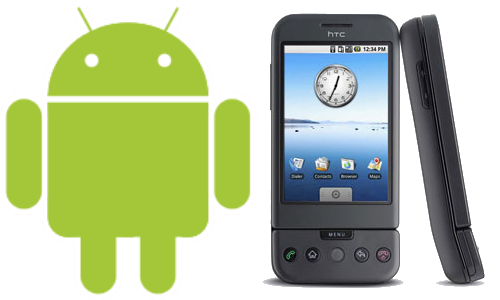
      Android is a Linux-based operating system specifically made for mobile devices such as Smartphones and Tablet PC .It was developed by the OHA(Open Handset Alliance),  led by a well known web tycoon  Google Inc.along with some other companies.
      Android
      Image Courtesy: htmlpress

      Android was established in Palo Alto, California, United States on October, 2003 by Four Guys Namely  Andy Rubin ,Rich Miner , Nick Sears , and Chris White. Later On Android   was acquired by Google in 2005, which made Android wholly owned subsidiary of Google Inc.

      So this was a little history of Android , but still question remains in mind, why it is much widely used while we are having  iOS , Windows, Symbian.

      These are the possible reasons for it  :

      -  It’ s FREE:
      It was made available free of cost and Google made a very clear note that “it will be free in future as well”.

      - It’ s Open source:
      Unlike other mobile OS like Windows, iOS, Symbian, Google chose to keep Android open for all. Due to which it attracted many developers around the globe.

      - Customization-Friendly:
      Google gave freedom to the users that they could modify Android as per their needs.hence  due such good will of company Users enjoy flexibility and ease of use.

      - Large number of Apps available:
       
      Last but not least , the main key feature that is availability of of large number apps , developed.